
A desktop POS sample can look ready in a supplier’s photo.
The real delay often starts with details that were never written down clearly.
For overseas POS software companies, ISVs, and system integrators, a sample is not only a machine to receive. It is the first practical test of hardware configuration, peripheral setup, supplier response, packaging details, and follow-up rhythm.
If these details are not confirmed before packing, the project may not stop completely. But it can slow down through small rounds of back-and-forth messages.
Common sample questions
- “Which motherboard version is this?”
- “Does this unit include the printer?”
- “Are the COM ports the same as the quotation?”
- “Which power plug will be packed?”
- “Can we get a photo before shipment?”
That is why a simple POS hardware sample checklist is useful before the supplier packs the machine.
If you are still comparing models, you can also review Tesp’s POS terminal sourcing support for typical Windows and Android POS terminal requirements.
Why POS Hardware Samples Slow Down
Sample delays are not always caused by one big production problem.
More often, the supplier has received a general request, but not a complete configuration note. The buyer asks for a desktop POS sample. The supplier sends a quote. Both sides think the next step is clear.
Then the hidden questions appear.
The software team may care about peripheral behavior, port layout, printer setup, scanner connection, cash drawer trigger, or operating system version. The supplier may focus on model availability, price, and packing schedule. Both sides are working on the same sample, but not always from the same checklist.
For a small pilot order, this gap matters. One missing port detail or one unclear accessory option can create several more days of messages before the unit is even packed.
What to Confirm Before a POS Terminal Sample Is Packed
The checklist does not need to be complicated. It just needs to be specific enough for the supplier, the buyer, and the project follow-up person to look at the same details.
Before packing
Confirm what the sample really includes.
Before shipment
Ask for visible details, not only catalogue photos.
1. Motherboard Version and Core Configuration
The product name alone is not enough.
For many desktop POS terminals, the same appearance can come with different motherboard versions, CPU platforms, RAM, storage, operating system options, and I/O layouts. A buyer may think they are reviewing one model, while the supplier may have several internal versions under a similar name.
Before packing, confirm:
- motherboard version or configuration code
- CPU platform
- RAM and storage
- Android or Windows version
- touchscreen size and secondary display option, if needed
This is especially important when the sample will be used by a POS software team for early installation, peripheral testing, or pilot deployment.
2. Printer, Scanner, and Peripheral Options
Many POS hardware discussions become unclear around built-in or optional peripherals.
A desktop POS terminal may be quoted as a base unit, while printer, scanner, customer display, MSR, NFC module, or cash drawer interface may be optional. If these are not written down clearly, the sample may arrive with a different setup from what the software or integration team expected.
Before packing, confirm:
- whether the printer is built in, external, or not included
- whether the scanner module is included
- whether a customer display is required
- whether the cash drawer port is included and what trigger option is used
- whether accessories and cables are included
For POS software teams, these details affect practical setup work after the sample arrives.
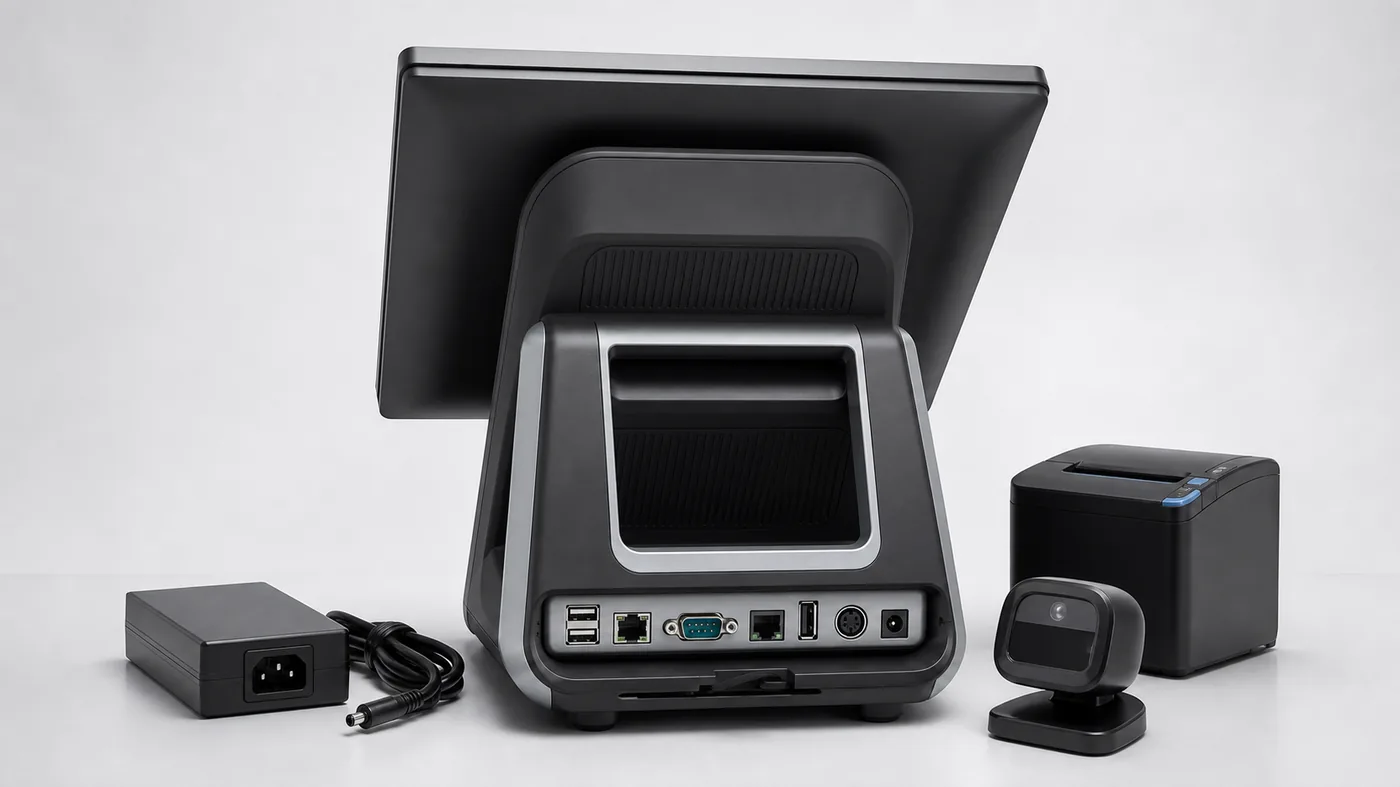
3. Port Layout for the Customer’s Peripherals
Port layout is one of the easiest details to overlook in a photo.
The front view of a POS terminal may look clean and modern, but the real discussion is often on the back or bottom side: USB, RS232, RJ11 or RJ12 cash drawer port, LAN, audio, HDMI, DC input, and cable exit space.
Before packing, confirm:
- number and type of USB ports
- RS232 or COM port availability
- RJ11 or RJ12 cash drawer interface
- LAN and Wi-Fi options
- power input position
- whether cables can be routed cleanly after installation
For retail stores, restaurants, and small supermarket setups, this is not a cosmetic detail. It affects how the POS terminal connects with printers, scanners, cash drawers, scales, pin pads, and other peripherals.
4. Power Plug, Label, and Packaging
The sample is also the first check of packing discipline.
For one sample unit, a wrong power plug or unclear label may look like a small issue. But for a pilot order or small-batch order, the same issue can become a repeated communication problem.
Before packing, confirm:
- destination country or region
- power plug type
- adapter label and voltage information
- product label position
- carton label or shipping mark
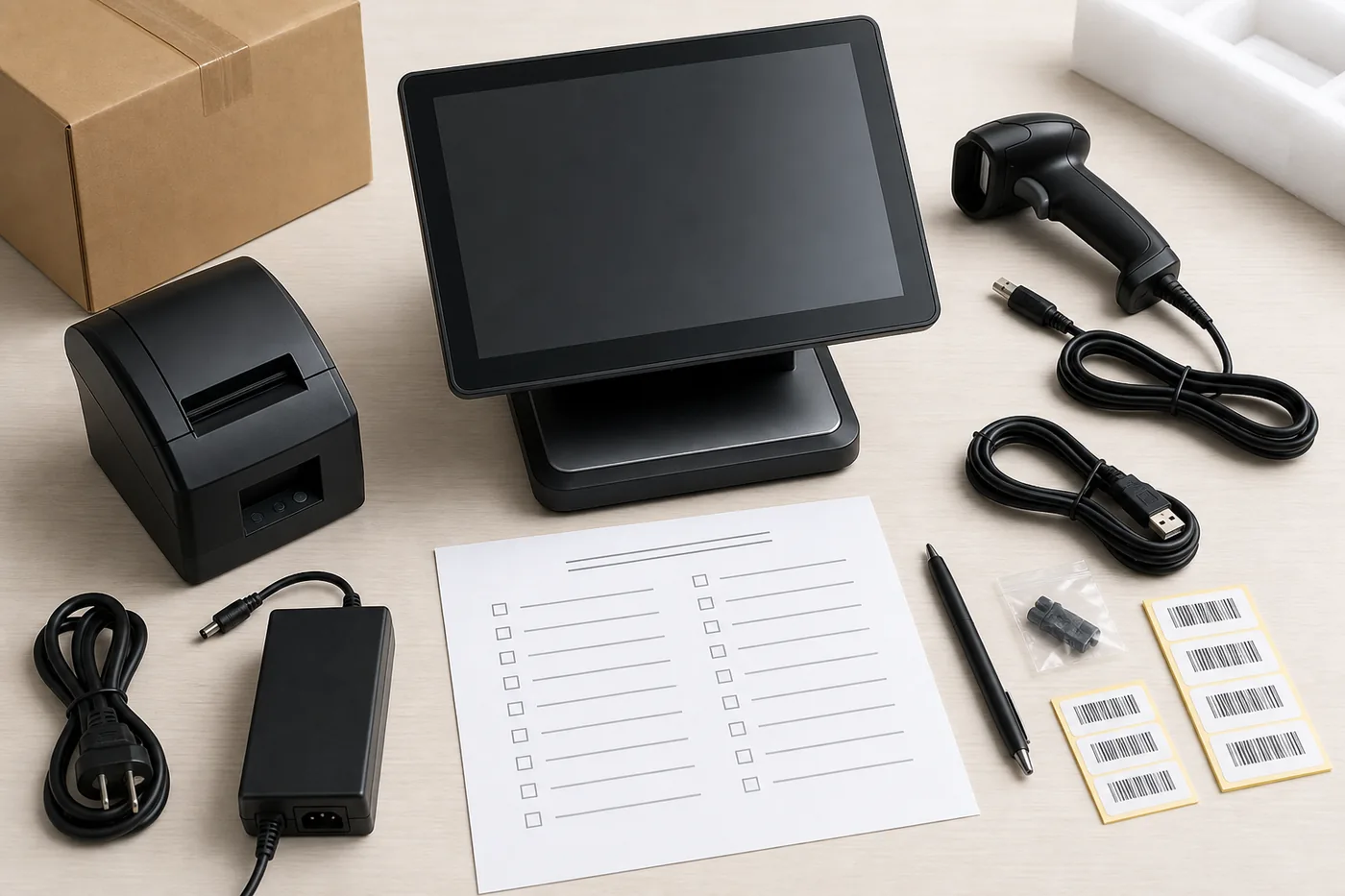
- accessory list inside the box
- whether the supplier can share a packing photo
If the project includes logo, label, packaging, or other OEM details, it is better to clarify them before the sample or pilot batch moves forward. For related projects, see Tesp’s OEM and custom POS hardware coordination.
5. Photos and Basic Check Items Before Shipment
A short photo set can prevent a long message thread later.
The goal is not to turn a sample order into a full inspection process. The goal is to make sure the obvious details are visible before the machine leaves the supplier.
Useful photos can include:
- front view of the POS terminal
- back or bottom view showing ports
- printer or scanner area
- accessories and power adapter
- label and carton view
- simple power-on photo, where practical
For sample coordination, raw photos are often more useful than polished catalogue images. They show what is actually being prepared for that order.
This Is a Project Follow-Up Issue
The machine matters. But the communication around the machine also matters.
For overseas POS software teams, the first sample is usually not the final buying decision. It is part of a process: compare options, install software, check peripherals, collect feedback, adjust configuration, and decide whether a pilot order is worth moving forward.
That process works better when the sample details are written down before packing.
A clear checklist helps the supplier understand what to prepare, and helps the buyer know what has already been confirmed.
This is where China-side project follow-up can be useful. Tesp provides POS hardware sourcing and project follow-up support for overseas POS software companies, ISVs, system integrators, and solution providers that need practical supplier communication around samples and small-batch orders.
A Practical Sample Request Format
When asking for a desktop POS sample, a short request like this is usually easier for suppliers to follow:
Product type: Desktop POS terminal
OS requirement: Android / Windows
Motherboard or CPU requirement:
RAM / storage:
Screen size:
Printer: Yes / No / External
Scanner: Yes / No
Required ports: USB / RS232 / RJ11 / LAN / other
Peripherals to connect:
Power plug type:
Destination country:
Label or packaging requirement:
Photos needed before shipment:
Target sample quantity:
Pilot order plan, if any:
It gives both sides a cleaner starting point before the sample is packed and sent for the next stage of review.
How Tesp can help
POS hardware sample coordination from Qingdao
Tesp is a Qingdao-based POS hardware sourcing and project follow-up contact for overseas POS software companies, ISVs, system integrators, and solution providers.
For POS hardware samples and small pilot orders, Tesp can help coordinate practical details with China-side suppliers, including hardware option comparison, sample configuration confirmation, supplier communication, port and accessory details, label and packaging details, and small-batch follow-up.
The value is not in making big promises. The value is keeping the sample conversation specific enough before the machine is packed, shipped, and handed over to the buyer’s team for the next stage of review.
FAQ
What should an ISV confirm before ordering a desktop POS sample?
An ISV should confirm the motherboard version, operating system, RAM and storage, port layout, printer or scanner options, cash drawer interface, power plug, accessories, label, packaging, and photos needed before shipment. These details help reduce back-and-forth communication before the sample is packed.
Why do POS hardware samples get delayed?
POS hardware samples often slow down because configuration details are not written clearly before packing. The supplier may understand the model name, while the buyer needs specific information about ports, peripherals, OS version, labels, accessories, and packaging.
Is a supplier catalogue enough for POS sample confirmation?
A catalogue is useful for early comparison, but it is usually not enough for sample preparation. A real sample request should include configuration, port layout, peripheral needs, packing details, and photo requirements before shipment.
Can Tesp help coordinate POS hardware samples from China?
Yes. Tesp can help overseas POS software teams, ISVs, system integrators, and solution providers coordinate POS hardware sample details, supplier communication, and small-batch follow-up with China-side suppliers where practical.