
Android POS Hardware, Checked Against Your App Requirements
Tesp helps POS software teams source Android retail hardware from China and check practical configuration details such as Android version, GMS availability, root or ADB options, peripheral behavior, and basic app launch before shipment.
How Tesp Reduces Android Hardware Integration Risk
Firmware & Access Checks
Tesp checks device settings and supplier documentation to confirm the practical Android environment, such as Android 11 / 12 / 13, root or ADB options, GMS availability, language settings, and approved firmware baseline.
Physical Peripheral Testing
Where practical, Tesp connects scanners, printers, cash drawers, or other basic peripherals to the Android hardware and checks whether the supplier-provided interface or SDK responds as expected.
Raw Video Proof
You can send a test APK, checklist, or simple execution script. Tesp can load it onto a sample unit, run basic checks such as cold boot or app launch, and share raw video or photos for your engineering review.
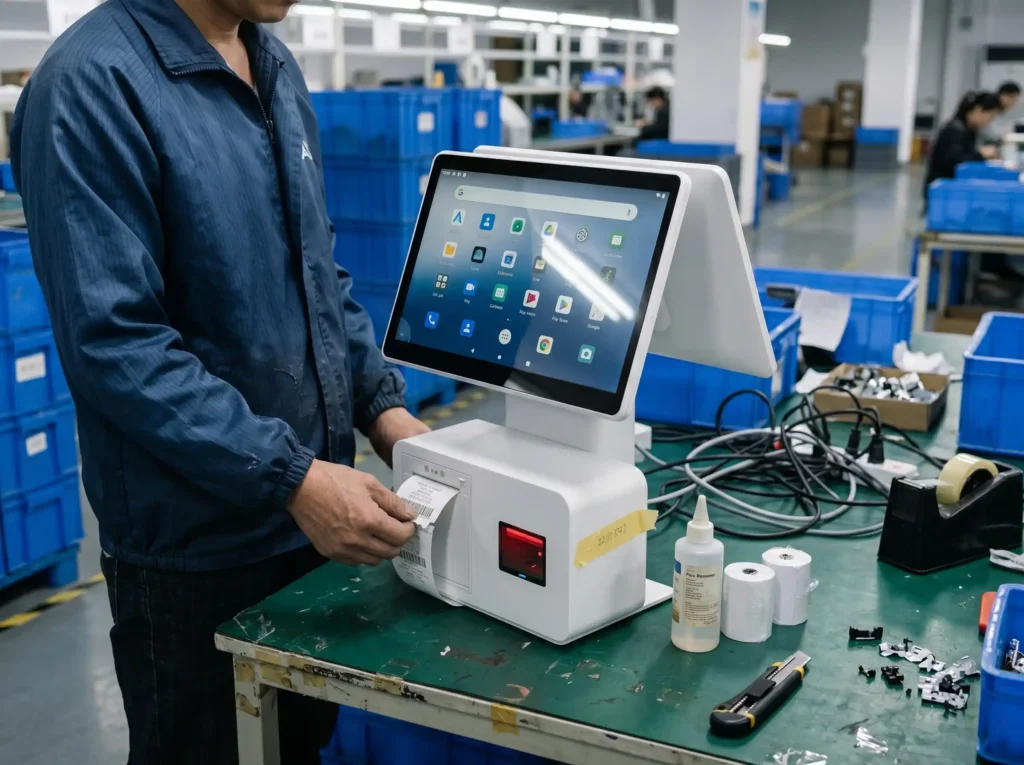
Common Android Hardware Platforms We Help Review
Tesp focuses on commercial Android POS and kiosk platforms commonly used in retail environments, especially Rockchip-based configurations. We do not position consumer tablets as POS hardware; instead, we review whether the selected platform fits your OS, peripheral, and deployment requirements.
- RK3288: A cost-effective baseline for basic Android POS terminals and simple payment workflows.
- RK3568: A common platform for modern Android 11+ POS terminals, kiosks, and retail touch devices.
- RK3588: A higher-performance option for advanced kiosks, vision-related workflows, and more demanding Android retail applications where supplier support is available.
Our Android Pre-Shipment Checklist
| Verification Item | The Tesp Checkpoint | Action |
|---|---|---|
| OS & Firmware Version | Check whether the installed Android version and firmware baseline match the approved sample or supplier confirmation. | Settings Screenshot Build Number Review Supplier Confirmation |
| Root / ADB Access | Review whether ADB debugging, root option, or MDM-related access is available for the selected configuration. | ADB Option Check Root Availability Note Development Access Review |
| GMS Availability | Check Google Mobile Services availability where required, including Play Store access or basic Google service presence. | GMS Check Play Store Review Configuration Photo |
| APK Launch Behavior | Install or launch the client-provided APK where practical and observe basic startup, cold boot, or auto-start behavior. | APK Install Test Cold-Boot Video Basic App Launch Review |
| Peripheral SDK Response | Trigger basic scanner, printer, or peripheral response using the supplier-provided SDK or test utility where available. | Scanner Input Check Printer Test SDK Feedback Note |
Android Sourcing FAQs for Developers
Q1: Can you check if the factory can load our custom boot logo asset?
Yes. Tesp can coordinate your boot logo or white-label requirement with the supplier. When a sample or first unit is available, we can check whether the boot logo displays correctly and share photos or video for your review.
Q2: What happens if the factory-provided Android SDK has basic operational issues?
Tesp can help identify and document supplier-side issues during sample testing. You provide the peripheral checklist or test steps, and we can collect the factory’s feedback, request clarification, and follow up on available firmware notes or fixes. Tesp does not rewrite SDKs or debug your application code.
Q3: How do you verify the Android version and system parameters on-site?
Tesp does not rely only on catalog sheets. Where practical, we power on the device, open system settings, and document Android version, kernel version, RAM, storage, build number, and other visible configuration details through photos or video.
Q4: Can you verify the Android navigation bar and status bar status?
Yes. If your kiosk or POS workflow requires hidden navigation bars, locked status bars, or kiosk-mode behavior, Tesp can visually check the relevant settings or supplier configuration on the sample unit and report what is actually enabled.
Validate Your Android Hardware Compatibility
Tell us your Android app requirements, target OS version, chipset preference, GMS needs, root or ADB requirements, peripherals, and test APK if available. Tesp will review the requirements and suggest a practical Android hardware validation plan.