
Label Printing and POS Weighing Scales for Retail Checkout
Review weighing capacity, label or receipt printing, barcode and PLU format, operating-system direction, data interfaces and sample confirmation points for the selected scale.
For Retail Scale Projects
Scale hardware options for customer projects and product lines
Barcode & Label Printing
Review label size, barcode format, PLU and printing needs
POS Software Integration
Clarify available ports and supplier-provided data behavior.
Samples & Small Batches
Start with a practical evaluation unit or pilot quantity.
Compare Label Printing and POS Weighing Scale Options
Different retail checkout projects need different scale hardware. Some projects need a barcode label printing scale for fresh-food labeling, while others need an integrated POS weighing scale with touchscreen operation, printer, scanner and POS software connection.
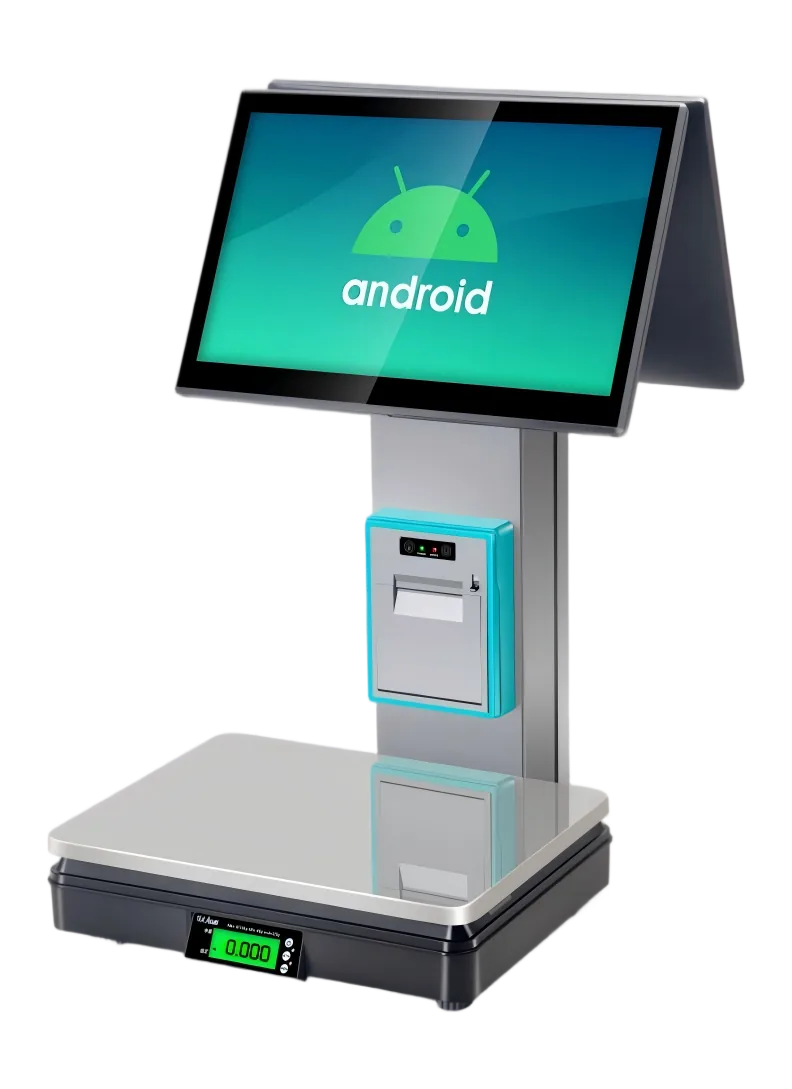
Barcode Label Printing Scales
Barcode label printing scales are commonly used in supermarkets, grocery stores, fruit shops, deli counters and fresh-food areas where products are weighed, priced and labeled before checkout.
Typical requirements include PLU management, barcode format, label size, label printing speed, weighing capacity, Ethernet or Wi-Fi connection and compatibility with the retailer’s POS or back-office software.
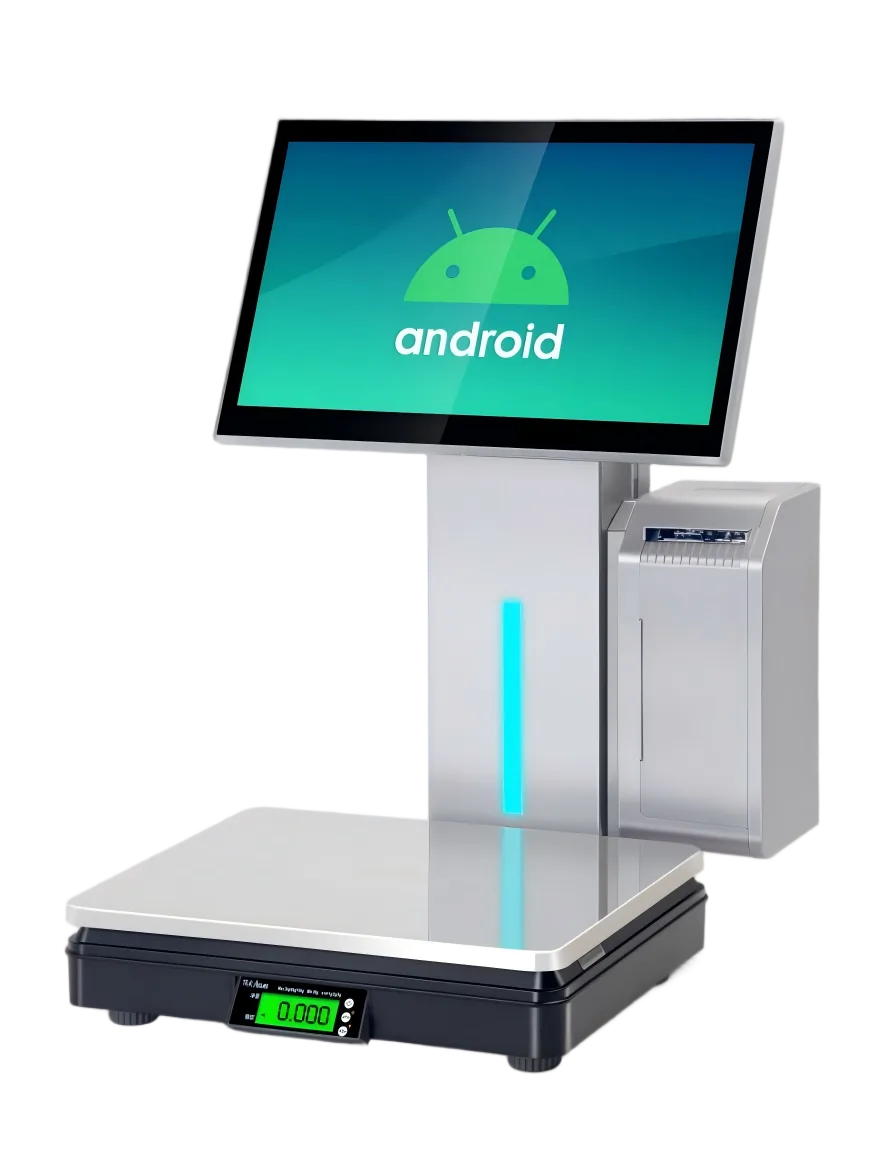
Integrated POS Weighing Scales
Integrated POS weighing scales combine weighing, touchscreen operation, customer display, receipt or label printing and optional scanning hardware in one checkout device.
They are suitable for retail counters that need a weighing scale and POS terminal in the same workstation, especially when the software runs on Android or Windows.
Retail Weighing POS Platform Configuration Range
The following configuration range is for retail weighing POS projects. Final combinations depend on the selected model, motherboard, operating system, printer structure, weighing module and supplier confirmation.
| Configuration | Available Options | Common Project Use |
|---|---|---|
| Operating System |
Android 11
Windows 10
Windows 7 on request
|
Android for touchscreen retail apps; Windows for existing POS software environments. Windows 7 can be reviewed for replacement or legacy software projects. |
| Processor | Windows: Intel i3 / i5 / i7 or N5095-class options. Android: RK3566 or RK3568 platform options. | Choose based on POS software load, peripheral requirements and long-term model availability. |
| Memory & Storage | Windows: 4GB or 8GB RAM with 64–512GB storage. Android: 2GB or 4GB RAM with 32GB or 64GB storage. | Confirm the software requirement first, especially for PLU databases, images and cloud POS apps. |
| Display | 15.6-inch main touchscreen with LED numeric customer display or 15.6-inch customer display. | Suitable for supermarket counters, fresh-food checkout, deli counters and customer-facing price display. |
| Weighing |
6kg
15kg
30kg
2g / 5g division
OS3 / OS6 module
|
Select capacity and division according to product category, local requirement and retail checkout workflow. |
| Printer & Scanner | 58mm receipt printer, label printer, receipt + label dual printing, no scanner, built-in scanning window or scanner payment box. | Match the printer and scanner structure to barcode labels, receipts, checkout speed and counter layout. |
| Enclosure | ABS + metal, aluminum column, full aluminum body and stainless steel weighing pan options. | Choose by target price, durability requirement, appearance level and cleaning environment. |
What to Confirm Before Requesting a Scale Sample
Before requesting a label printing scale or integrated POS weighing scale sample, confirm the key hardware and software points below. This helps avoid receiving a sample that looks correct but cannot match the actual checkout workflow.
Capacity & Division
Confirm 6kg, 15kg or 30kg capacity and whether 2g or 5g division is suitable for the target retail category.
Label or Receipt Printing
Confirm whether the project needs barcode label printing, 58mm receipt printing or a dual printing structure.
Barcode & PLU Format
Confirm barcode type, label size, PLU data format and whether the retailer’s software needs to import or export product data.
Operating System
Confirm Android 11, Windows 10 or selected legacy Windows requirements according to the POS software environment.
Interface & Data Output
Confirm Ethernet, Wi-Fi, RS232, USB-HID or other communication requirements before arranging a sample.
Counter Layout
Confirm display direction, customer display, scanner position, scale pan size and available checkout counter space.
Interface, Label and Protocol Points to Review
For POS software vendors and retail technology providers, the scale is not only a weighing device. Label format, barcode output, printer behavior and data connection should be checked before sample approval.
| Review Point | What to Confirm | Common Project Use |
|---|---|---|
| Barcode Label | Label size, barcode type, PLU format, price format, product name field and print layout. |
Fresh food
Grocery label
Deli counter
|
| Printer Structure | 58mm receipt printer, label printer or receipt + label dual printing structure. |
Receipt
Barcode label
Dual printing
|
| Serial / RS232 | Connector type, baud rate, command mode, continuous output mode and software parsing requirement. |
POS software
Scale data
Legacy setup
|
| USB / HID | USB output mode, driver requirement, keyboard emulation behavior and operating system support. |
Windows POS
Android POS
Driver check
|
| Network Connection | Ethernet or Wi-Fi requirement, IP setup, back-office data connection and product database update method. |
PLU update
Store network
Cloud POS
|
| Documents | Available CE, OIML, NTEP or other documents should be requested and reviewed according to the destination market. |
Import check
Tender file
Market requirement
|
Tesp is not a scale certification body or POS software developer. Our role is to help overseas buyers communicate with Chinese suppliers, compare available hardware options and confirm key sample details before moving to small-batch orders.
Scale Sample Checks Before Ordering
Confirm Printing and Weighing Needs
Confirm capacity, division, label or receipt direction and barcode / PLU requirements.
Compare Available Scale Formats
Compare barcode label printing, receipt-printing and integrated POS weighing formats.
Review Interface and Sample Evidence
Review data output, interfaces, printing behavior and sample evidence for the selected scale.
Record the Approved Configuration
Keep the approved scale configuration, label details and sample record consistent.
Best-Fit Label Printing Scale Projects
Suitable Projects
- POS resellers looking for label printing scales or POS weighing scale hardware.
- Retail technology providers building supermarket, grocery or fresh-food checkout projects.
- POS software teams that need to confirm scale interfaces, label format and operating system compatibility.
- Buyers who need samples or small-batch orders before larger deployment.
Not the Best Fit
- Industrial weighing projects that require heavy-duty factory weighing systems.
- Buyers who only need a certified legal-for-trade document without checking actual hardware availability.
- Projects that require Tesp to develop POS software or guarantee local certification approval.
- One-time retail users looking for a single local store scale.
FAQ About Label Printing and POS Weighing Scales
What is the difference between a barcode label printing scale and an integrated POS weighing scale?
A barcode label printing scale is mainly used to weigh products and print barcode labels for fresh-food, grocery or deli items. An integrated POS weighing scale combines weighing, touchscreen operation, receipt or label printing, customer display and optional scanner hardware in one checkout device.
What should I confirm before requesting a POS weighing scale sample?
Confirm the intended use, required capacity and division, label or receipt printing, operating system or interface requirements, quantity and destination market. This allows us to check suitable scale configurations and available sample options.
Which weighing capacity should I choose?
Common options include 6kg, 15kg and 30kg. The right choice depends on the product category, average item weight, local weighing requirements and checkout workflow. Capacity and division should be confirmed before sampling.
Can these scales work with our POS software?
It depends on the operating system, interface, protocol, driver and software data format. Before arranging samples, you should confirm Android or Windows requirements, RS232 or USB output, barcode label format and printer behavior with the supplier.
Can the same scale print both labels and receipts?
Some configurations support label printing, some support 58mm receipt printing, and some models may support a dual printing structure. The printer configuration must be confirmed by model before quotation or sampling.
What compliance documents may be available for a selected scale?
Available documents can vary by model, destination market and supplier. Before approving a scale, check which product documents are available and confirm final legal-for-trade, import and local compliance requirements with qualified professionals in the destination market.
Request Label Printing or POS Weighing Scale Options
Send the use case, weighing capacity, label or receipt printing direction, barcode / PLU format, interface, operating-system direction, sample quantity and destination market to compare relevant scale options and sample checks.