
POS Hardware Samples from China
Request POS hardware samples from China before a small-batch order. This page helps you confirm the selected model, configuration, accessories, requested photos or videos and packing details for buyer-side evaluation.
Share the POS hardware category, model if known, operating system, key peripherals, sample quantity and destination market. Include any checklist items your team wants to review before shipment.
Sample Configuration
Confirm selected model, operating system, CPU, memory, storage, screen and port information.
Accessories and Packing
Confirm power adapter, cable, plug type, scanner, printer, mounting parts and other sample accessories.
Requested Photos and Videos
Request useful product, port, accessory, packing or configuration material for buyer-side review.
Buyer Review Checklist
Share the practical checklist items your team needs to review before the sample is shipped.
What POS Hardware Samples Include
A POS hardware sample is most useful when the buyer can review the selected model, configuration, accessories and visible product details before it is shipped. This page focuses on recording those sample requirements clearly.
Final software compatibility, local requirements and commercial approval remain buyer decisions. The sample process provides the product information needed for your team’s own evaluation.
Sample Unit Details
Model name, system direction, screen size, processor, memory, storage and available port layout.
Accessories and Packaging
Power adapter, cables, mounting parts, scanner, printer, customer display and packing condition.
Review Material
Photos, short videos, configuration notes and available answers for buyer-side review.
POS Hardware Sample Checklist Before Shipment
Use this checklist to organize the main sample details before shipment. It helps make the sample easier to evaluate, but does not replace buyer-side software testing, local certification or final commercial approval.
| Sample Area | What to Confirm | What Tesp Can Provide |
|---|---|---|
| Model & Version | Model name, selected hardware version, color, enclosure format and sample quantity. | Configuration record, available model information and sample photo reference. |
| System Baseline | Operating system direction, OS version, CPU, memory, storage and available firmware or driver notes. | Configuration screenshots or available written product information. |
| Ports & Modules | USB, LAN, COM, cash drawer port, printer, scanner, customer display, scale or payment mounting requirement. | Port photos, accessory photos and open questions for buyer-side review. |
| Accessories | Power adapter, cable, plug type, mounting parts, external devices, labels, manuals and packing contents. | Accessory checklist and packing photos before shipment. |
| Buyer Checklist | Any test steps, photo angles, video request, app-install note or inspection points provided by your team. | Practical feedback according to the provided checklist where available. |
| Shipping Readiness | Sample packing condition, recipient information, shipment timing and any open issue before dispatch. | Pre-shipment photos and a summary of open sample questions. |
What to Check in a POS Hardware Sample Package
The sample unit is only one part of the evaluation. Accessories, cables, scanner or printer options, power adapter, plug type and packing condition can affect whether your team can test the unit efficiently after it arrives.
Confirm these visible details before shipment so the sample package and review record are clearer.
Packing and Accessories
Confirm that the sample package includes the expected adapter, cables, mounting parts and accessories.
Photos Before Dispatch
Request practical photos of the sample unit, ports, accessories and packing condition.
Open Sample Questions
Keep remaining product or configuration questions visible before the sample is shipped.
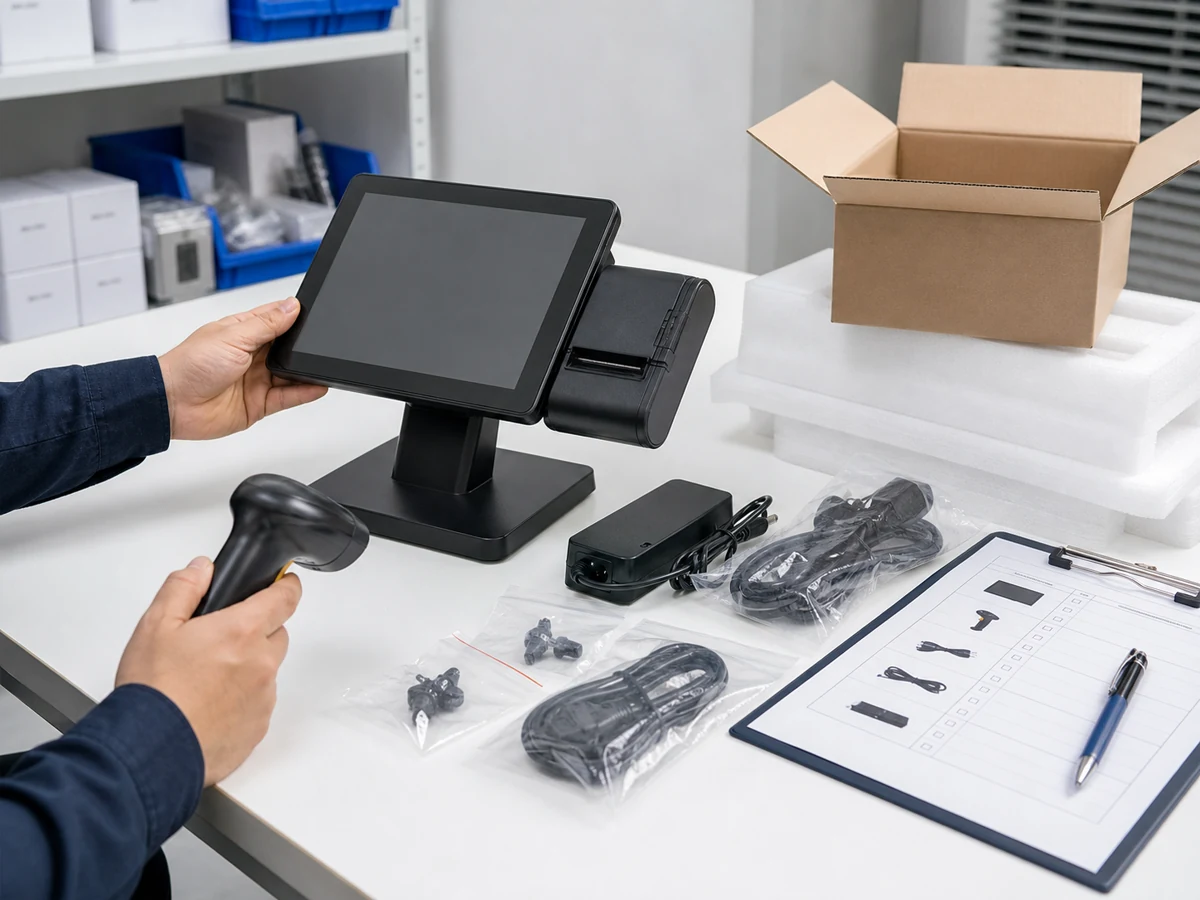
Review Points Your Team Can Share
If your team already has a sample review checklist, share the practical photo angles, short videos, configuration screenshots, accessory checks or simple observations you need. This gives your team a clearer record for its own evaluation.
Final decisions on software compatibility, driver behavior, certification and market readiness remain with the buyer’s technical and compliance teams.
Photo Angles
Front, rear, side, port layout, label, accessories, packing and screen configuration where useful.
Short Videos
Power-on status, screen response, accessory connection or simple checklist steps where practical.
Configuration Screenshots
OS version, storage, memory, network setting or supplier-provided configuration information.
Open Questions
Model details and unresolved questions recorded for buyer-side review.
From Sample Requirements to Shipment Review
Sample coordination should make the sample review easier to follow. Tesp keeps the supplier-side information, photos, accessories and buyer review points organized before the sample moves toward shipment.
Confirm Sample Requirements
Record product type, model direction, system baseline, accessories, quantity and destination market.
Confirm Configuration
Record sample model, operating system, CPU, memory, storage, screen, ports and relevant options.
Request Photos and Videos
Request useful product photos, short videos, configuration screenshots and accessory photos.
Review Before Shipment
Check open questions, packing condition and sample information before your team confirms shipment.
POS Hardware Sample Requirements and Buyer Confirmation Points
What to Send for POS Hardware Samples
- Selected product type, model if already known and operating system direction
- Screen, ports, accessories, sample quantity and destination market
- Requested photo angles, short videos or checklist items
- Plug type, packing notes and open questions before shipment
Buyer Confirmation Points
- Final software compatibility and driver validation
- Local certification, import, compliance and installation requirements
- Formal lab testing, official inspection or legal review
- Final approval to move from sample to a small-batch order
- Compatibility, certification and commercial outcomes
POS Hardware Samples FAQs
What is a POS hardware sample request?
A sample request records the selected POS hardware model, configuration, accessories, requested photos or videos and buyer-provided review points before shipment.
What should be included in a POS hardware sample request?
Include the product type, model if available, operating system direction, screen and port requirements, accessories, sample quantity, destination market and any photo, video or checklist items your team wants to review.
Can I request photos and videos before shipment?
Yes. You can request practical product, port, accessory, packing and configuration material where the selected model and situation allow.
Does Tesp test my POS software on the sample?
Tesp can collect the available product information and review material you request. Final software compatibility testing must be completed by your technical team.
Can Tesp confirm Android, Windows or driver compatibility?
Tesp can collect available configuration information, screenshots and product details. Final Android, Windows, driver and software compatibility must be confirmed by your technical team.
What happens after the sample is confirmed?
The usual next step is to request a sample. Use POS Hardware Samples to confirm the sample configuration, accessories, requested photos or videos and buyer-side review points before shipment.
If you are still comparing product and model options, start with Hardware Options before requesting a sample.
If your sample is ready for the next purchasing step, continue to Small-Batch Orders. For logo, packaging, label or boot-screen details, review OEM & Private Label. You can also compare POS terminals, self-checkout kiosks and retail scales.
Request POS Hardware Samples
Share the product type, model if known, operating system direction, accessories, sample quantity and destination market. Include any photo, video or checklist items your team wants to review before shipment.